このガイドは現在、英語版のみ公開しています。
OnlyFans Scams: Fake Accounts, Fake Apps and Other Traps



Quick answer
- The golden rule: real creators get paid on onlyfans.com. Anyone asking for gift cards, crypto or a payment app is a scammer.
- Nothing can unlock paid posts for free. "Unlock" apps, viewers and generators exist to steal logins or install malware.
- Only log in on onlyfans.com itself — check the address before typing your password, and turn on two-step verification.
Where there's money and privacy, there are scammers — and OnlyFans has plenty of both. Fans get messages from fake creators, links to "free access" tools, lookalike login pages and, sometimes, threatening emails. The tricks change names often, but they follow the same few patterns. Once you know them, they're easy to spot. This guide walks through the most common scams, shows how they unfold and explains what to do if you've already been caught.
The golden rule
Every legitimate payment — subscriptions, tips, paid messages — happens on onlyfans.com. A creator never needs your gift card, crypto, bank transfer or payment-app money. The moment someone asks for it, you're talking to a scammer, however real the photos look.
Almost every scam in this guide breaks this rule at some point. If you remember nothing else, remember this one.
How a scam unfolds
Different scams, same script. Most of them move through four steps:
The most common OnlyFans scams
| Scam | How it looks | The giveaway |
|---|---|---|
| Impersonator page | A new account with a popular creator's photos, often a little cheaper than the real one | Few posts, few likes, no link from the creator's own social media |
| "Pay me directly" | A DM on social media: "skip OnlyFans, it's cheaper if you pay me here" | Gift cards, crypto or a payment app instead of onlyfans.com |
| "Unlock" apps and viewers | An APK, browser extension or website that promises paid posts for free | Asks for your login, a download or a "human verification" survey |
| Free-content sites | Pages that claim to have a creator's paid content, with endless redirects | Pop-ups, fake download buttons, requests for card details "for age checks" |
| Phishing email | "Your account is suspended" or "payment failed — log in to fix it" | The link leads to an address that isn't onlyfans.com |
| Fake giveaway | "Win a free year of subscriptions — just enter your card to verify" | A real giveaway never needs your card or password |
| Meet-up or "verification fee" | A "creator" offers to meet or video-call after a small payment | Pressure, urgency and payment outside OnlyFans |
| Blackmail message | "We know you subscribe — pay or we tell your contacts" | Generic wording, no real proof, a crypto wallet address |
Fake apps deserve a special mention: at the time of writing there is no official OnlyFans app for the main platform, so anything calling itself one is unofficial at best. Our guide Is there an OnlyFans app? shows the safe way to get OnlyFans on your home screen.
Check the address before you log in
Phishing pages copy the OnlyFans login screen pixel for pixel. The only reliable difference is the address bar. Here is how real and fake addresses compare:
| Address in your browser | Safe? |
|---|---|
onlyfans.com | The real site |
onlyfans.com/username | A creator's page on the real site |
0nlyfans… or onlyfanss… | A zero instead of an O, or an extra letter |
onlyfans-premium…, onlyfans-login… | Extra words glued to the name — a different site |
onlyfans.com.something-else… | The real domain is always the part right before the first "/" — here it's "something-else" |
Type onlyfans.com yourself or use a bookmark instead of clicking links in emails and messages. It takes two seconds and defeats every phishing page.
Scam or safe? Test yourself
Tap each card to see the answer:
If you've already been scammed
Don't panic and don't pay anything more — scammers often come back with a second demand. Work through these steps, starting with the first:
- Stop all contact. Don't reply, don't argue and don't send "one last payment" to get your money back.
- Secure your accounts. If you entered a password anywhere suspicious, change it on onlyfans.com and on your email from a clean device, then turn on two-step verification.
- Call your bank or card issuer. Card payments can sometimes be disputed if you act quickly. For gift cards, contact the company that issued the card right away — occasionally unused balances can be frozen.
- Delete anything you installed. Remove unknown apps, extensions or files, and run a security scan on the device.
- Report it. Report fake accounts to OnlyFans support and the platform where the scammer contacted you, and file a report with the police or your country's fraud reporting service.
Blackmail messages rely on fear and speed. Don't pay: paying marks you as someone who pays, and the demands rarely stop. Keep the messages as evidence, block the sender and report it to the police.
Stay safe: a quick checklist
Tick off what you've already done — your progress is saved in this browser:
For more on what others can and can't see about your subscriptions, read Is OnlyFans anonymous? And if a card payment looks odd, our guide to OnlyFans payment methods explains what normal charges look like.
Find real creators safely
The easiest way to avoid impersonators is to start from a source that links to the official pages. Every creator on PeachRadar links straight to their real OnlyFans profile, with the price, posts and likes shown up front:
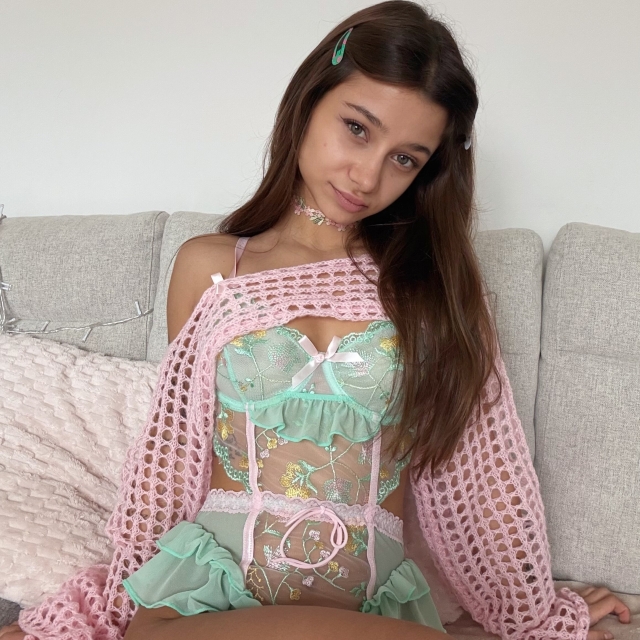


Browse the most popular creators or free OnlyFans pages, and see how to find someone on OnlyFans if you're looking for a specific person.
FAQ
How do I know if an OnlyFans account is fake?
Fake accounts are usually new, with few posts and few likes, and they aren't linked from the creator's verified social media. Reach creators through their official bio link, and never pay anyone outside onlyfans.com.
Can an app or website unlock OnlyFans content for free?
No. Paid posts are locked on OnlyFans servers. Apps, extensions and websites that promise free access are scams built to steal logins, collect survey money or install malware.
Is it safe to pay an OnlyFans creator directly?
No. Payments outside OnlyFans have no protection, and requests for gift cards, crypto or payment-app transfers are the most common sign of a scam. Real creators are paid through the platform.
What should I do if I get an OnlyFans blackmail message?
Don't reply and don't pay. Save the messages, block the sender, secure your accounts with new passwords and two-step verification, and report it to the police.
I entered my password on a fake site. What now?
Change your OnlyFans password right away on onlyfans.com, change the password of your email too, turn on two-step verification and check your payment methods for anything you don't recognise.